History
The ATS History module is a powerful tool designed to let you review the operations that have been performed on a claim. The types of operations are divided into categories with a variety of search criteria to help you find the information you want. The categories are:
· Payments
· Letters
· Recoveries
· Reserves
· Transactions
· Audit
The History view pages may be accessed from the Toolbar buttons after you have selected a claim on a Claim List or from the Menu Bar within the claim program.
Payment History
This option is covered first since it is the one used most often. The payment history is queried with the following dialog.
Every payment will be listed when using the default selection criteria: all payments from the date the claim was opened to the current date regardless of reserve category. The total paid, batched, and the grand totals appear at the bottom of the form.
You may search for a specific group of payments by modifying any of the following criteria.
|
Criteria |
Function |
|
Date
Range |
Lists
payments made from one date through another. The program will start selecting
from the date the claim was opened though the current date by default. |
|
Reserve
Category |
Selects
payments made to one, a group of accounts or all of the reserve accounts. The
default will select payments regardless of category. |
Click the Process button to list the payments that match the selection criteria. By default, the payments are sorted in descending order by date with the most recent entry first.
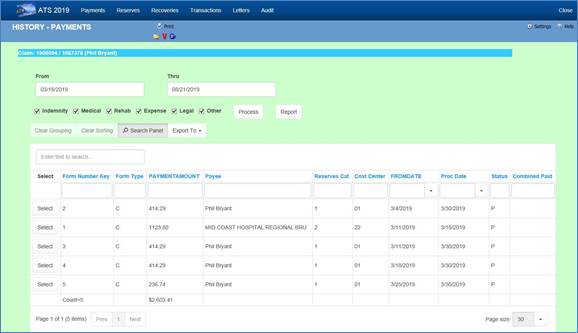
Figure 7‑1: Claim History -
Payments
Select Button
Any of the History options that display a dialog with an Open button allow you to look at the details for a selected item. All the fields are disabled so they can’t be edited.
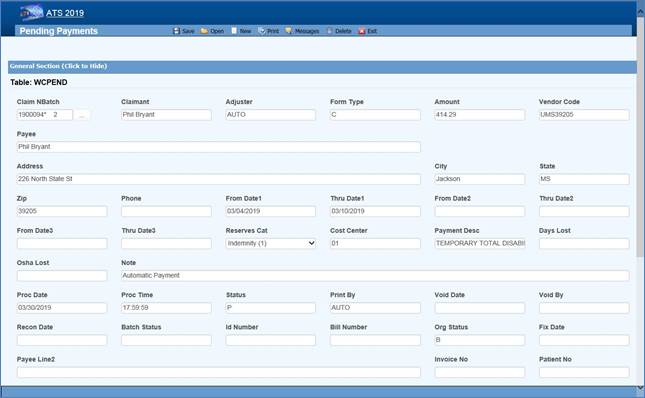
Figure 7‑2: Claim History -
Payment Detail
Report Button
The Report button displays a report with just the items that appear on the selection list. For example, suppose someone requests a list of the payments made against the first reserve category. In that case, remove the checks for all the other the reserve categories and click Process, the click Report.
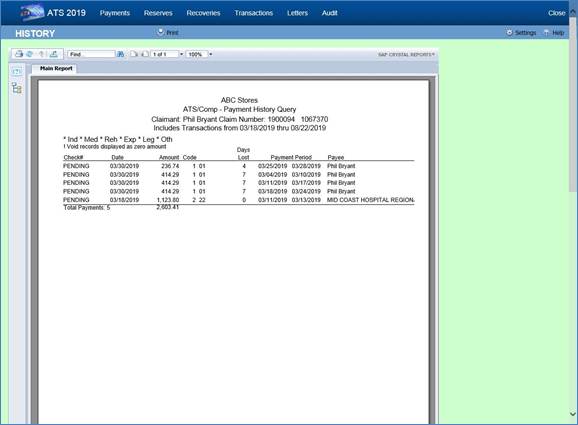
Figure 7‑3: Claim History -
Payment Report
Letter History
Depending on a parameter set in the Maintenance section for Forms/Letters, a record may be written to the history file each time a form or letter is produced for a claim. If you have used this feature, then you may query the database using the following dialog.
If you enter a Letter Code, the program will search for records that contain the code and a date within the specified range. The note shown on the list is the description that was entered when the document was produced.
Note that the first time a document is generated the record number is always “1”. The next time it is generated the number will be “2” and so on.

Figure 7‑4: Claim History -
Letters
Reserves History
The ATS System keeps track of all changes to the reserves for your future reference. Use this History option to view the transactions. The dialog shows six reserve categories. The number and labels will vary depending on how your system has been set up.
By default, all changes will be listed from January 1, 1901 to the current date regardless of reserve category. To eliminate a category from the list, remove the check by clicking the box.
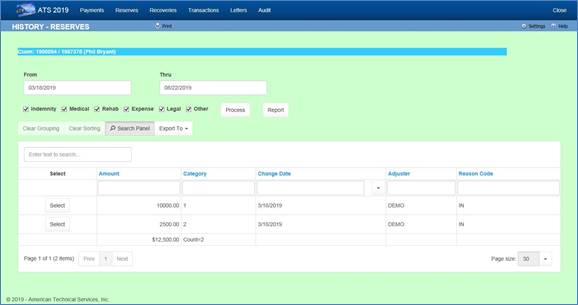
Figure 7‑5: Claim History -
Reserves
Recoveries History
This option allows you to look up information on any recovery that has been made for the specified claim. By default, all recoveries will be displayed regardless of the reserve account or party involved when the Process button is selected.
The selection criteria may be modified. For example, to get a list of recoveries for reserve category #1 from a specific vendor, enter the vendor’s federal ID number (by clicking Browse next to the Party box) and remove the checks from every category except the first one.
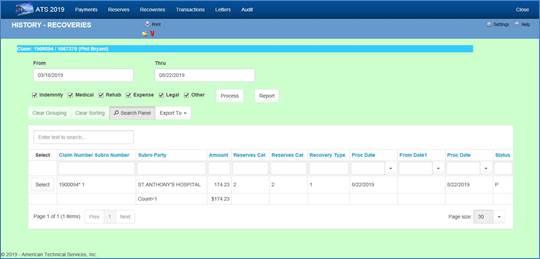
Figure 7‑6: Claim History –
Recoveries
Audit
The Audit menu item provides access to a chronological list of all actions that have taken place for the selected claim.
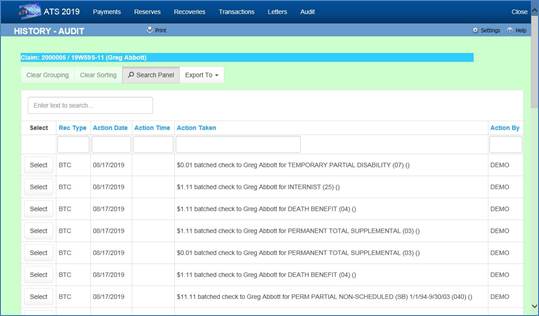
Figure 7‑7: Claim History –
Audit