Claim Reserve
Worksheet
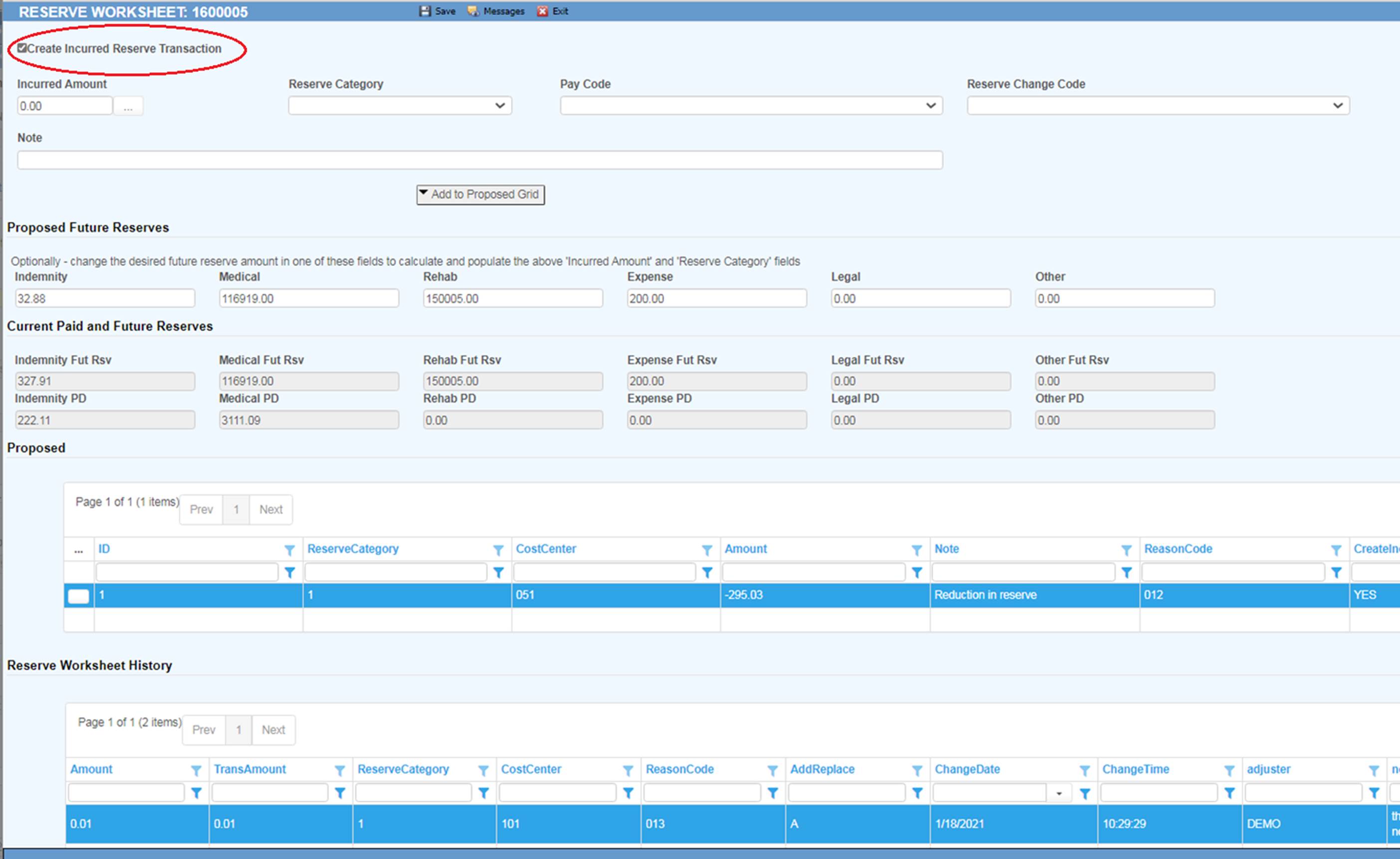
The reserve worksheet is optionally used to enter additional reserve information which can accompany the creation of an incurred reserve transaction. The Create Incurred Reserve Transaction checkbox causes an incurred reserve transaction to be created when the worksheet record is saved. Use the Add to Proposed Grid button to move data entered from the Incurred Amount, Reserve Category, Pay Code, Reserve Change Code and Note fields above it to the Proposed grid. If the Create Incurred Reserve Transaction checkbox is checked, then the Proposed Future Reserves section will also be updated. Data in the Proposed grid can be modified by clicking on the button next to the row to be modified. The button next to the Incurred Amount field can be used to help calculate the desired incurred amount. The Save button on the tool bar will write changes from the Proposed grid.